
Bell/Virgin Banner CMS Tool
A Google Sheets extension for WYSIWYG style banner creation
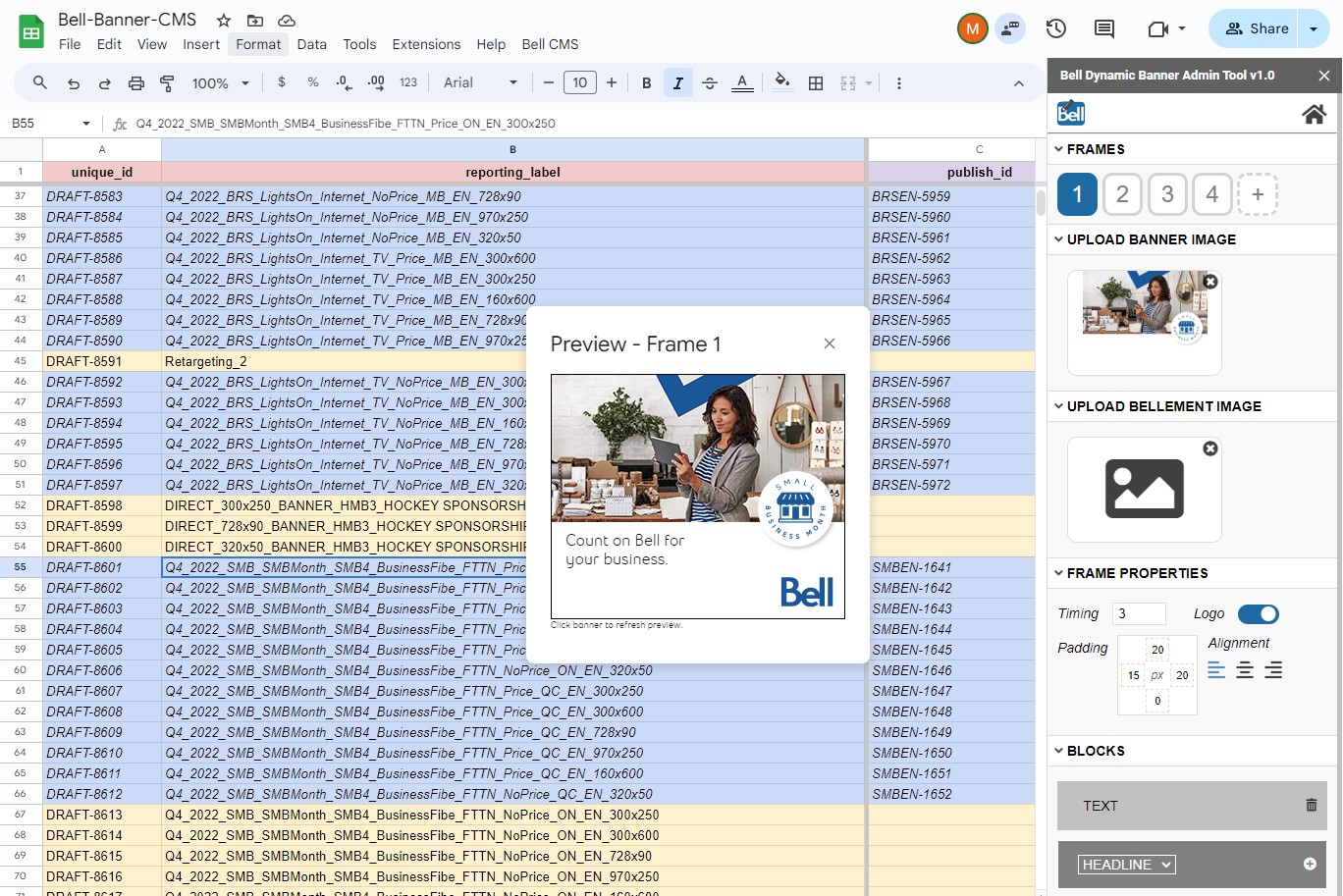
The Bell Banner CMS Tool and Virgin Banner CMS Tool allow users to create and edit banners for use in DoubleClick Studio dynamic banners.
8 standard banner sizes
Including 300×250, 728×90, plus the ability to define custom sizes.
Up to 8 frames per banner
With live-preview of each frame.
Transition style and speed
Choose between 7 pre-defined animation styles and set the speed of transitions.
Global Logo layer
Upload a logo to be displayed on each frame.
2 image layers per frame
Layer images within each frame.
Multiple text elements per frame
Layer text blocks, headlines, price blocks, CTAs and legal overlays within each frame.
Creative control
A comprehensive suite of tools to build creative exactly the way you envision.
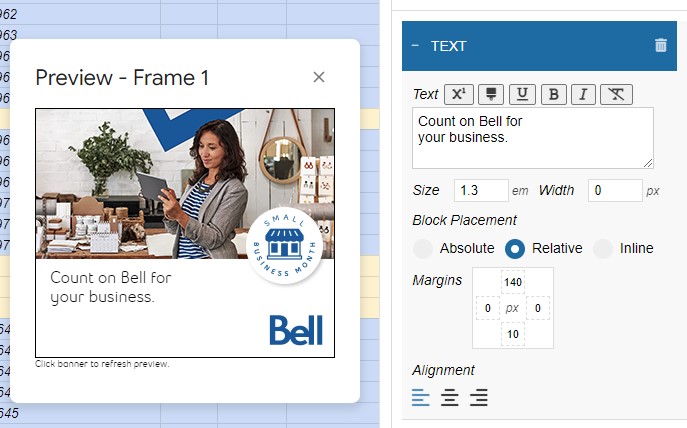
Live preview frame editor
- Create and edit text layers in the editor
- Adjust block properties like font size, placement, etc.
- See your updates live in the preview window
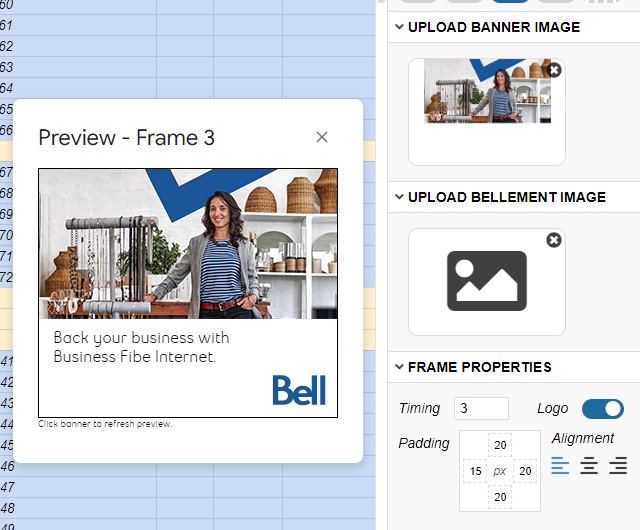
Adjust frame properties
- Frame-by-frame control over timing, logo visibility
- Frame padding control
- Alignment control
Contact your Bell or Virgin account manager to start using the tool.